What Is Data Analysis? A Complete Beginner's Guide
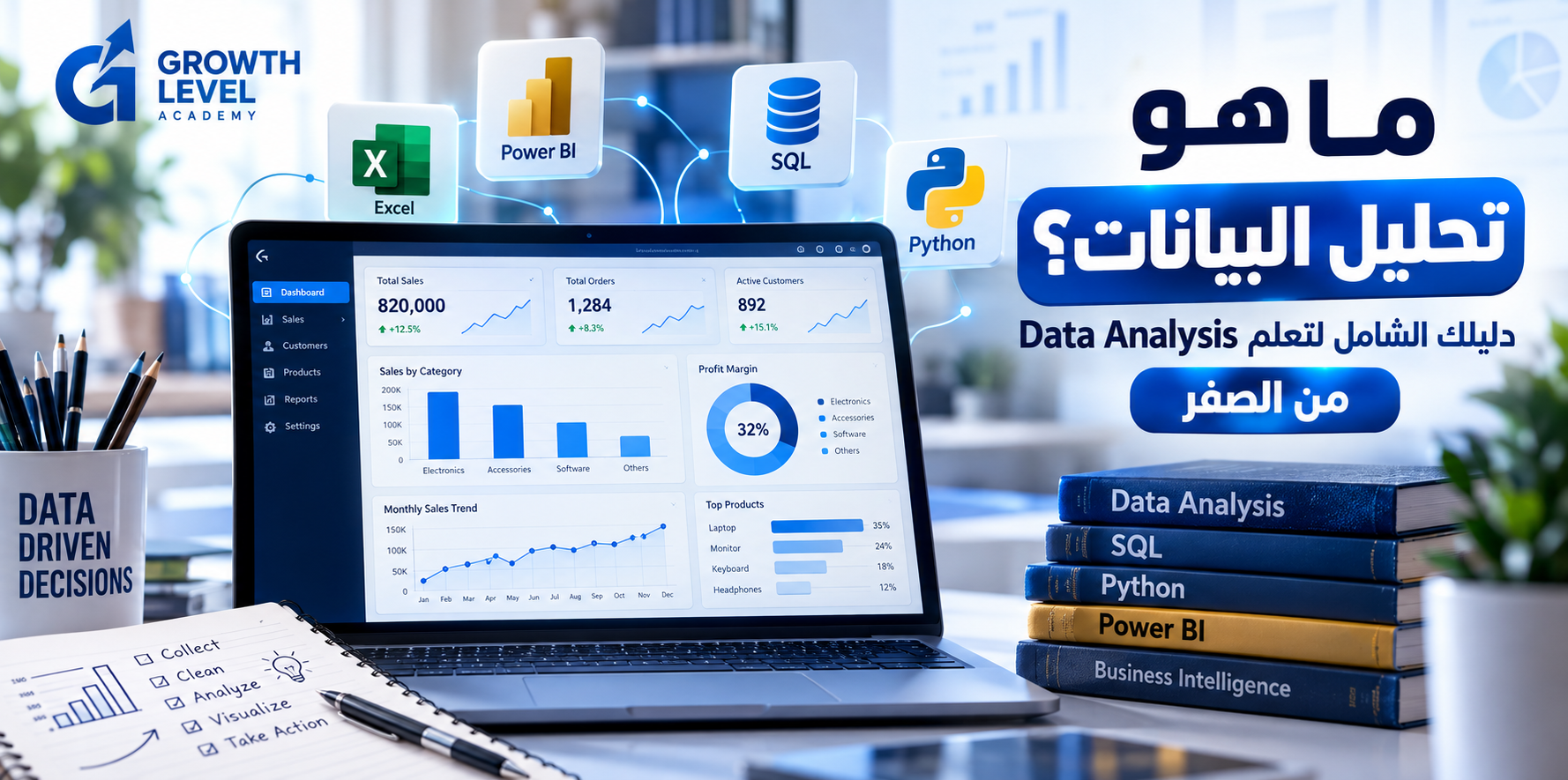
Imagine running an online store that receives hundreds of orders every week. Sales are increasing, but profits are declining. Is the problem caused by product pricing, rising costs, ineffective discounts, or changes in customer behavior?
Instead of guessing, you can use data analysis to investigate the problem and make better-informed decisions.
Data analysis is a fundamental part of business operations, marketing, finance, healthcare, education, and technology. In this guide, you'll discover what data analysis means, how it works, the tools professionals use, and how beginners can start building practical skills.
What Is Data Analysis?
Data analysis is the process of inspecting, cleaning, organizing, transforming, and interpreting data to identify patterns, answer questions, and support evidence-based decisions.
Put simply, it turns raw information into meaningful insights.
For example, a retail business can analyze its sales data to answer questions such as:
Which products generate the most revenue?
Which products have the highest profit margins?
Why did sales decline last month?
Which customers purchase most frequently?
How do promotions affect business performance?
The objective is not simply to produce charts. It is to understand what the numbers mean and how they can inform decisions.
Why Is Data Analysis Important?
Data analysis helps organizations improve several aspects of their operations.
Better Decision-Making
Managers can compare alternatives using measurable evidence rather than relying entirely on intuition.
Early Problem Detection
Monitoring key performance indicators (KPIs) helps businesses identify declining conversion rates, unexpected costs, or operational inefficiencies.
Improved Efficiency
By analyzing workflows and resource usage, organizations can identify opportunities to reduce waste and improve performance.
Customer Understanding
Data can reveal purchasing patterns, customer preferences, and differences between audience segments.
Marketing Performance Measurement
Businesses can evaluate conversion rates, acquisition costs, and revenue generated by individual campaigns.
For instance, a campaign that attracts 10,000 visitors and produces 100 purchases has a 1% conversion rate. Another campaign that generates 150 purchases from 5,000 visitors has a 3% conversion rate.
The second campaign converts visitors more effectively, even though its traffic is lower.
What Are the Four Types of Data Analytics?
Data analytics is commonly divided into four categories.
1. Descriptive Analytics: What Happened?
Descriptive analytics summarizes historical data.
Examples include monthly revenue, average order value, customer counts, and sales trends.
2. Diagnostic Analytics: Why Did It Happen?
Diagnostic analytics investigates potential explanations for business outcomes.
If revenue decreased by 15%, analysts might examine order volume, product performance, customer segments, and regional sales.
An observed correlation does not necessarily demonstrate causation.
3. Predictive Analytics: What Might Happen?
Predictive analytics uses historical data and statistical methods, sometimes including machine learning, to estimate future outcomes.
Examples include sales forecasting, demand estimation, and customer churn prediction.
Predictions are uncertain and depend on data quality, assumptions, and model performance.
4. Prescriptive Analytics: What Should We Do?
Prescriptive analytics evaluates potential actions using data, forecasts, objectives, and constraints.
Examples include optimizing inventory levels and allocating marketing budgets.
Type | Main Question | Example |
|---|---|---|
Descriptive | What happened? | Revenue fell by 15% |
Diagnostic | Why did it happen? | Order volume declined |
Predictive | What might happen? | Forecasting next month's sales |
Prescriptive | What should we do? | Adjusting inventory and budgets |
The Seven Steps of the Data Analysis Process
Step 1: Define the Business Problem
Start with a clear question.
Instead of requesting a general sales analysis, ask: "What factors contributed to lower profit margins this quarter?"
Define the metrics precisely before beginning.
Step 2: Collect Data
Common data sources include:
Excel and CSV files
Relational databases
CRM platforms
Accounting and sales systems
APIs
Surveys and forms
Data collection must respect privacy, security, and applicable access permissions.
Step 3: Clean the Data
Real-world datasets often contain duplicate records, missing values, inconsistent dates, incorrect entries, and inconsistent categories.
Cleaning improves reliability, but analysts must carefully consider how each correction may affect the results.
Step 4: Explore the Data
Exploratory Data Analysis (EDA) helps analysts identify distributions, trends, unusual values, and relationships.
Common techniques include descriptive statistics, pivot tables, visualizations, and correlation analysis.
Step 5: Perform the Analysis
Analysts calculate KPIs, compare groups, investigate trends, and apply statistical techniques appropriate to the problem.
Complexity alone does not make an analysis better.
Step 6: Visualize the Results
Charts, reports, and interactive dashboards help communicate findings to stakeholders.
Good visualizations prioritize accuracy, readability, and business relevance.
Step 7: Communicate Insights and Monitor Outcomes
The analyst explains the findings, identifies limitations, and recommends possible actions.
Once a decision is implemented, the organization can monitor subsequent performance.
Essential Data Analysis Tools
Microsoft Excel
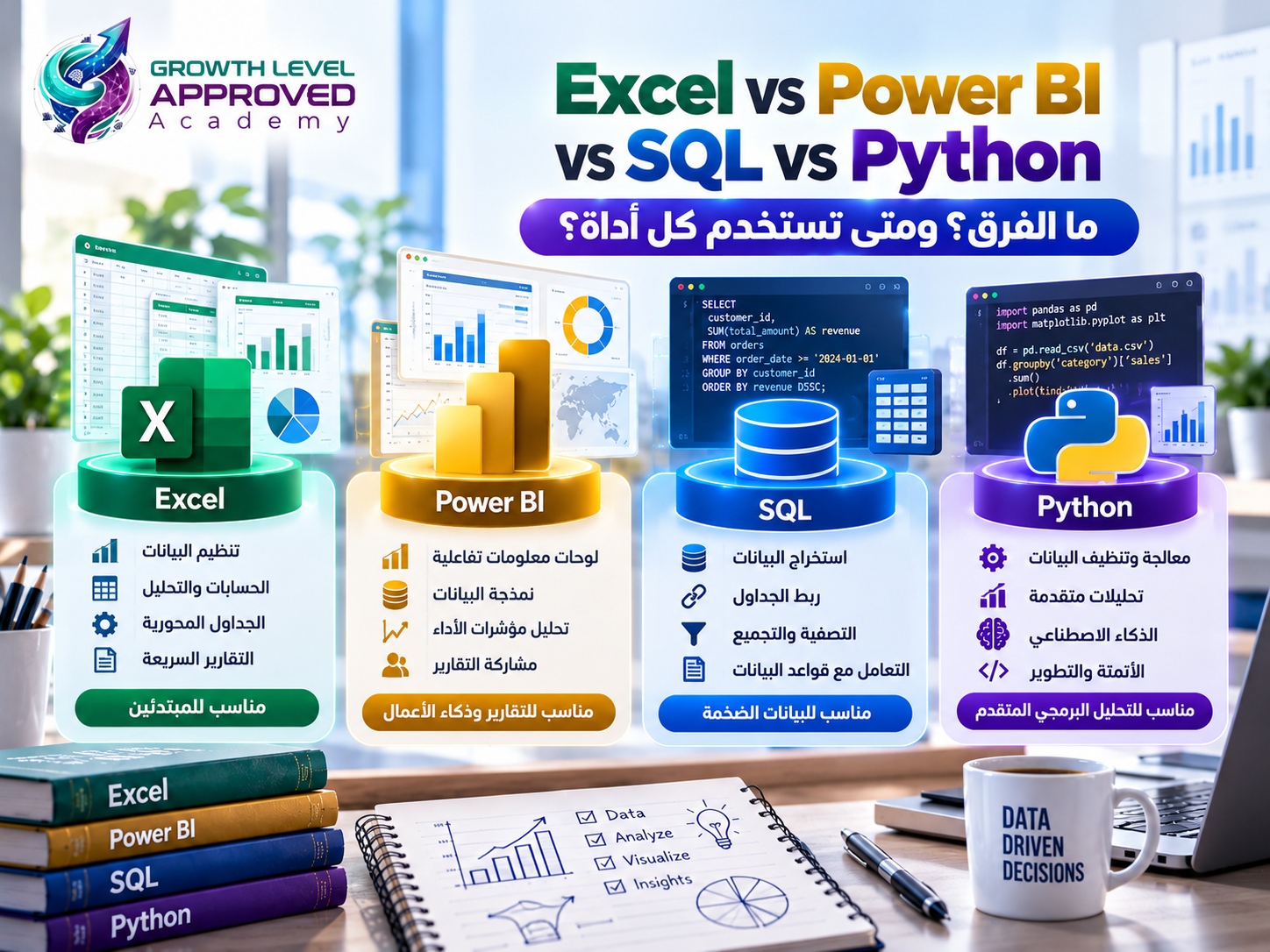
Excel supports data organization, calculations, pivot tables, charts, and data preparation.
Important skills include XLOOKUP, SUMIFS, PivotTables, and Power Query.
Microsoft Power BI
Power BI allows analysts to connect data sources, build data models, create interactive dashboards, and define measures using DAX.
It is particularly useful for reporting and business intelligence.
SQL
Structured Query Language (SQL) is used to retrieve and manipulate data in relational databases.
Essential concepts include SELECT, WHERE, GROUP BY, JOIN, subqueries, and window functions.
Python
Python is useful for data cleaning, automation, statistical analysis, and advanced analytical workflows.
Common libraries include pandas, NumPy, Matplotlib, Seaborn, and scikit-learn.
Tableau
Tableau is a data visualization and business intelligence platform used to develop interactive analytical dashboards.
Do you need to learn every tool?
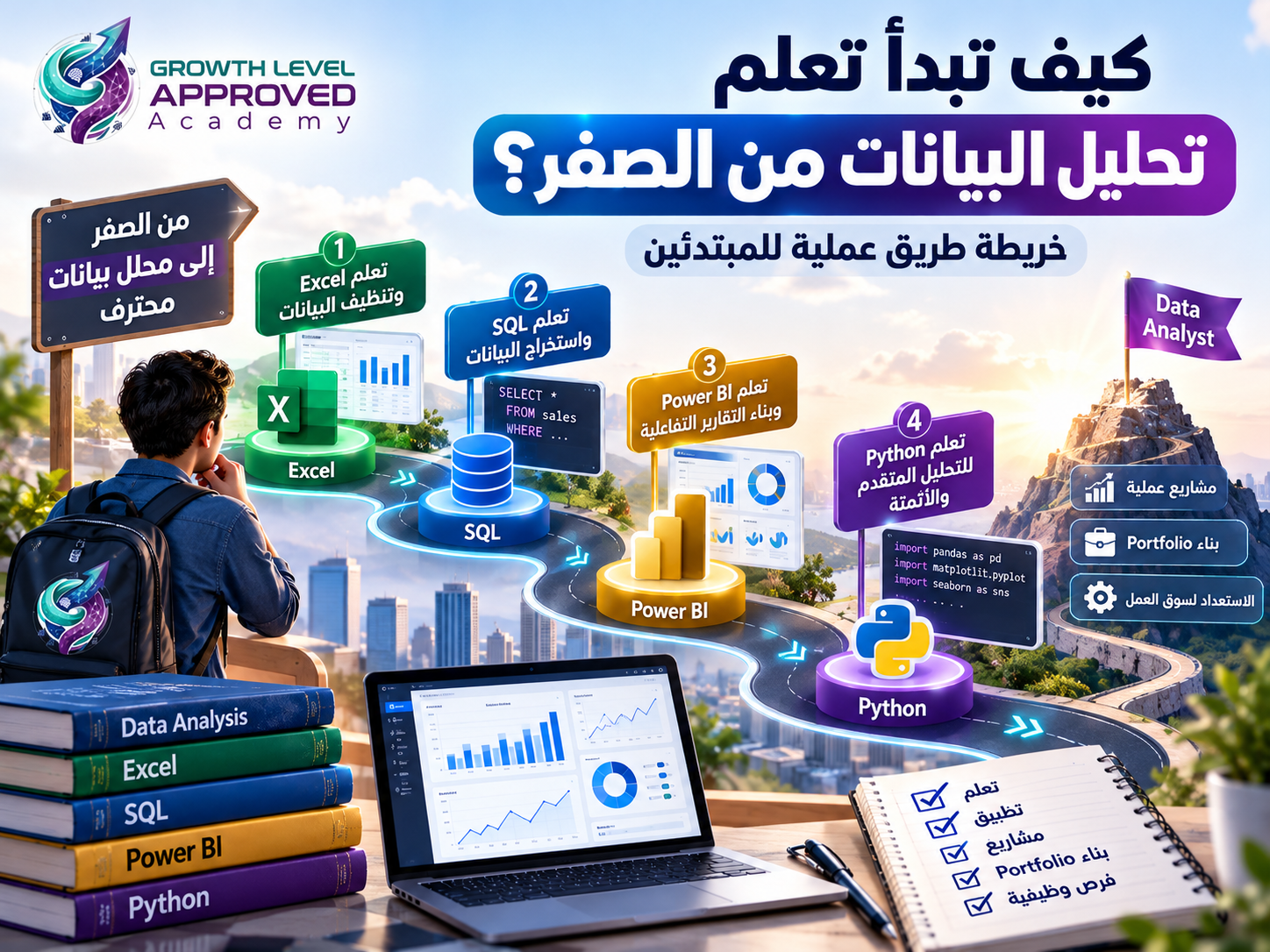
No. A practical beginner's path is to start with Excel, continue with SQL and Power BI, and gradually add statistical techniques and Python.
Practical Example: Analyzing Retail Sales Data
Consider the following fictional retail dataset. All monetary amounts are in Egyptian pounds (EGP).
Product | Units Sold | Unit Price | Unit Cost |
|---|---|---|---|
Laptop | 20 | 25,000 | 21,000 |
Monitor | 40 | 6,000 | 4,500 |
Keyboard | 100 | 800 | 500 |
We can calculate:
Revenue = Units Sold × Unit Price
Cost of Goods Sold = Units Sold × Unit Cost
Gross Profit = Revenue − Cost of Goods Sold
The results are:
Product | Revenue | Gross Profit |
|---|---|---|
Laptop | 500,000 | 80,000 |
Monitor | 240,000 | 60,000 |
Keyboard | 80,000 | 30,000 |
Total | 820,000 | 170,000 |
Gross profit excludes operating expenses, marketing costs, and taxes.
Now calculate gross profit margin:
Gross Profit Margin = Gross Profit ÷ Revenue × 100
Results:
Laptop: 16%
Monitor: 25%
Keyboard: 37.5%
The laptop generates the highest total revenue and gross profit. However, the keyboard produces the highest gross profit margin.
This highlights an important analytical principle: the product generating the most revenue is not necessarily the product with the highest profitability ratio.
Still, margin alone is insufficient for an investment decision. Analysts should also consider demand, marketing expenses, returns, and operational constraints.
How to Learn Data Analysis From Scratch
Step 1: Understand Basic Statistics
Learn about percentages, averages, medians, distributions, variation, and the difference between correlation and causation.
Step 2: Practice Excel
Work with real datasets, learn formulas, build pivot tables, and practice cleaning and organizing data.
Start with a simple sales or attendance report.
Step 3: Learn SQL
Practice filtering records, joining tables, grouping data, and extracting information from databases.
Step 4: Build Power BI Dashboards
Learn Power Query, data modeling, DAX, and dashboard design.
Focus on answering meaningful business questions rather than creating decorative visuals.
Step 5: Add Python
Use Python to automate repetitive tasks, analyze larger datasets, and apply more advanced techniques when appropriate.
Step 6: Complete Real Projects
Build a portfolio that includes:
Retail sales analysis
Marketing campaign performance analysis
Customer service performance analysis
For each project, describe the objective, dataset, methodology, findings, and recommendations.
Step 7: Document Your Work
Maintain a portfolio on GitHub or another suitable platform, ensuring that you never disclose private or confidential information.
Skills Every Data Analyst Should Develop
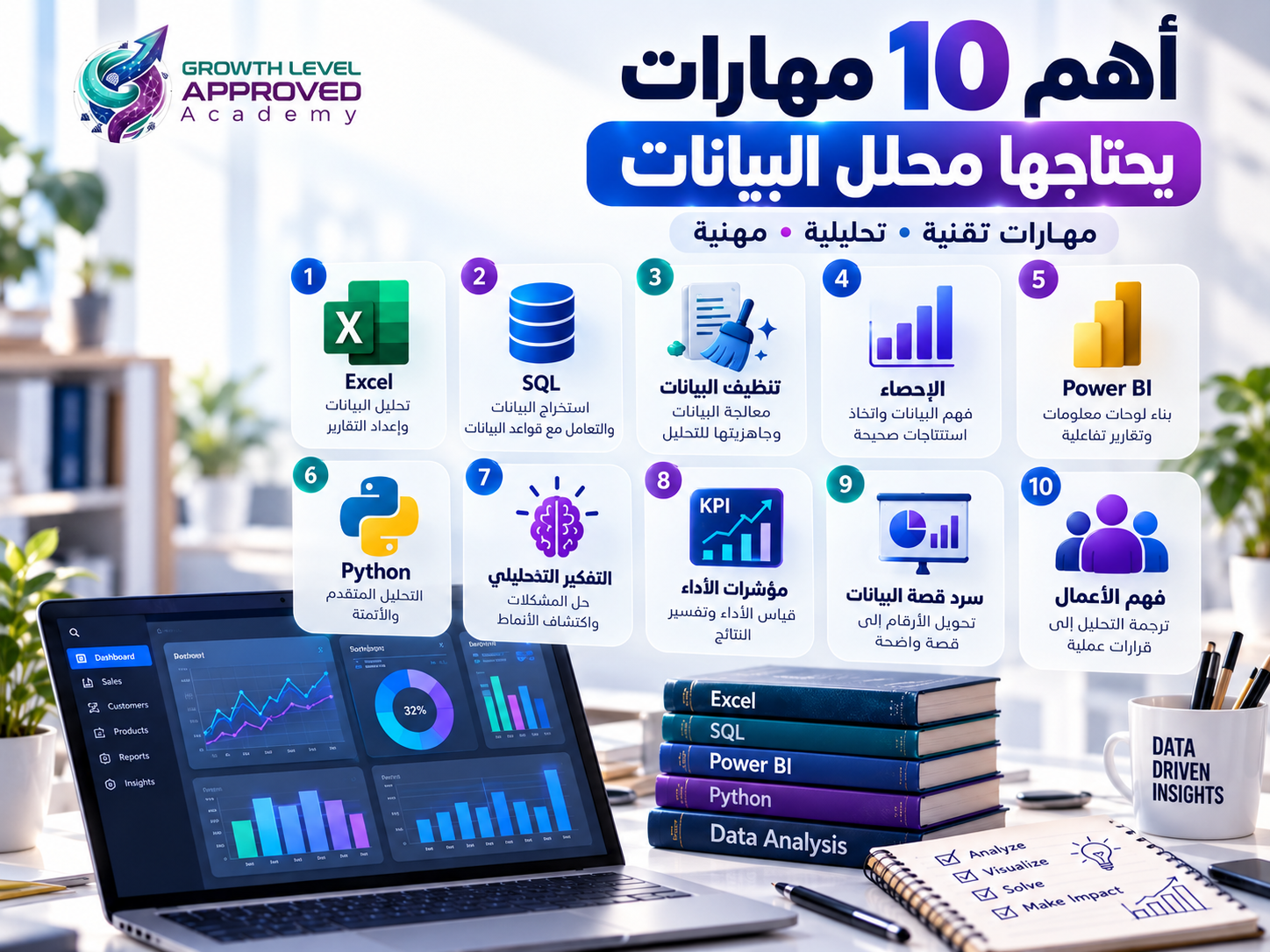
A data analyst needs a combination of technical, analytical, and communication skills.
Technical skills: Excel, SQL, visualization tools, statistics, and potentially Python.
Analytical skills: critical thinking, problem formulation, pattern recognition, and data quality assessment.
Communication skills: presenting findings, explaining limitations, writing clear reports, and making complex information understandable.
The ability to connect analytical findings to business decisions is just as important as knowing how to write a query.
Data Analyst vs. Data Scientist
Although the roles overlap, they often differ in emphasis.
Area | Data Analyst | Data Scientist |
|---|---|---|
Focus | Business insights and performance | Advanced modeling and prediction |
Typical Outputs | Reports and dashboards | Models, experiments, forecasts |
Common Tools | Excel, SQL, Power BI | Python, SQL, statistics, ML |
Statistical Depth | Foundational to applied | Often more advanced |
Responsibilities vary between organizations, so job titles should not be treated as rigid categories.
Can You Learn Data Analysis Without Programming Experience?
Yes. Many beginners start with Excel and basic statistics before learning SQL, Power BI, and Python.
Prior programming experience is helpful but not essential for beginning the learning process.
However, developing professional competence requires consistent practice, realistic projects, and the ability to solve unfamiliar problems.
How Long Does It Take to Learn Data Analysis?
The timeline depends on prior knowledge, weekly study hours, and learning goals.
A beginner might use three to six months to establish foundational skills and complete introductory projects. Becoming job-ready may require additional study and practical experience.
Progress should be measured by the problems you can solve, not simply the number of courses completed.
Where Is Data Analysis Used?
Data analysis has applications across many industries.
Retail: sales, inventory, and product profitability.
Marketing: conversion rates, campaign performance, and customer behavior.
Finance: financial reporting, operational analysis, and risk assessment.
Healthcare: operational indicators and service quality, while maintaining patient confidentiality.
Human Resources: recruitment, employee retention, and workforce metrics.
Education: attendance, assessment results, and learning progress.
Frequently Asked Questions
Is data analysis difficult for beginners?
The fundamentals are accessible to beginners. Advanced topics become more challenging, but a structured learning path and regular practice can make progress manageable.
Do data analysts need advanced mathematics?
Not necessarily at the beginning. Basic statistics and mathematical reasoning are important, while advanced methods depend on the job.
Is Excel enough to become a data analyst?
Excel supports many analytical tasks. Learning SQL and Power BI broadens the range of data sources and business problems you can handle.
Should I learn Python or Power BI first?
For business reporting, Power BI is often a practical starting point after Excel and SQL. Python becomes especially valuable for automation, programming-based analysis, and more advanced workflows.
Will artificial intelligence replace data analysts?
AI tools can automate parts of data preparation, query writing, and reporting. However, they can produce incorrect results, making business understanding, validation, interpretation, and judgment essential.
What is the difference between data analysis and business intelligence?
Data analysis broadly involves investigating and interpreting data. Business intelligence often emphasizes reporting, dashboards, and decision support. The two fields overlap significantly.
Final Thoughts
Data analysis is about asking useful questions, working with evidence, and turning raw information into meaningful conclusions.
You do not need to master every tool immediately. Start with statistics and Excel, build your SQL and Power BI skills, and develop practical projects that demonstrate your abilities.
At Growth Level Academy, our training approach emphasizes live instruction, practical application, and project-based learning.
Explore our data analysis training programs to find a learning path that matches your current skills and professional goals.
Start Learning Data Analysis Through Practical Training
Now that you understand what data analysis is and how its tools are used, it's time to turn your knowledge into practical skills.
At Growth Level Approved Academy, our Data Analysis with Excel & Power BI training program helps you develop essential skills in data preparation, analysis, and visualization.
You'll learn how to work with data using Excel and Power Query, build data models, and create interactive dashboards using Power BI and DAX.
Explore the Data Analysis Training Program
References
IBM — Diagnostic Analytics: https://www.ibm.com/think/topics/diagnostic-analytics
IBM — Prescriptive Analytics: https://www.ibm.com/think/topics/prescriptive-analytics
Microsoft Learn — Power BI: https://learn.microsoft.com/power-bi/
Microsoft Learn — Power Query: https://learn.microsoft.com/power-query/
Python Documentation: https://docs.python.org/3/
pandas Documentation: https://pandas.pydata.org/docs/
PostgreSQL — SQL Documentation: https://www.postgresql.org/docs/current/sql.html
Comments (0)
No comments yet. Be the first!